On Pro
A loyalty card on your customer's phone
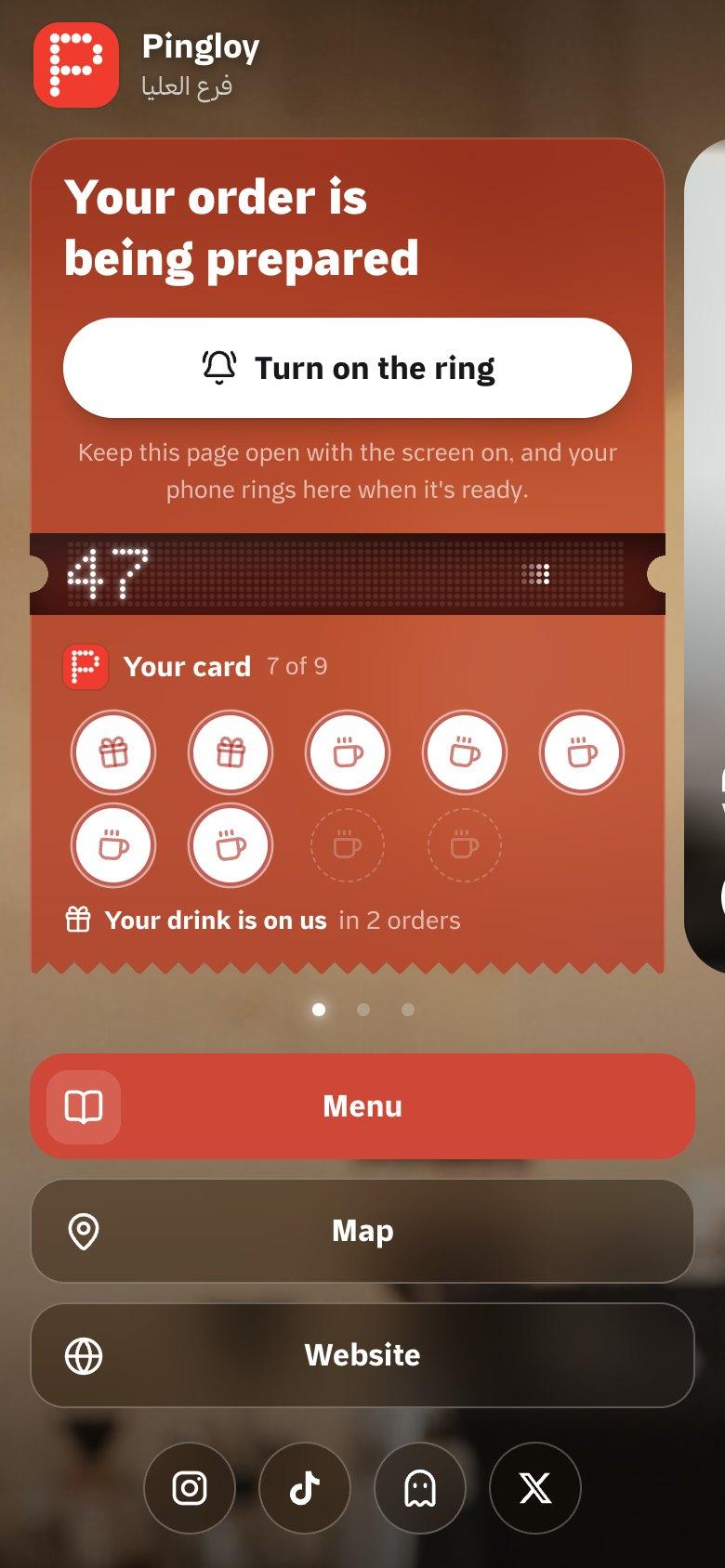
Every order stamps your customer's card on their phone, and when it's full the reward is on you. No app, and no phone number to give.
Loyalty card
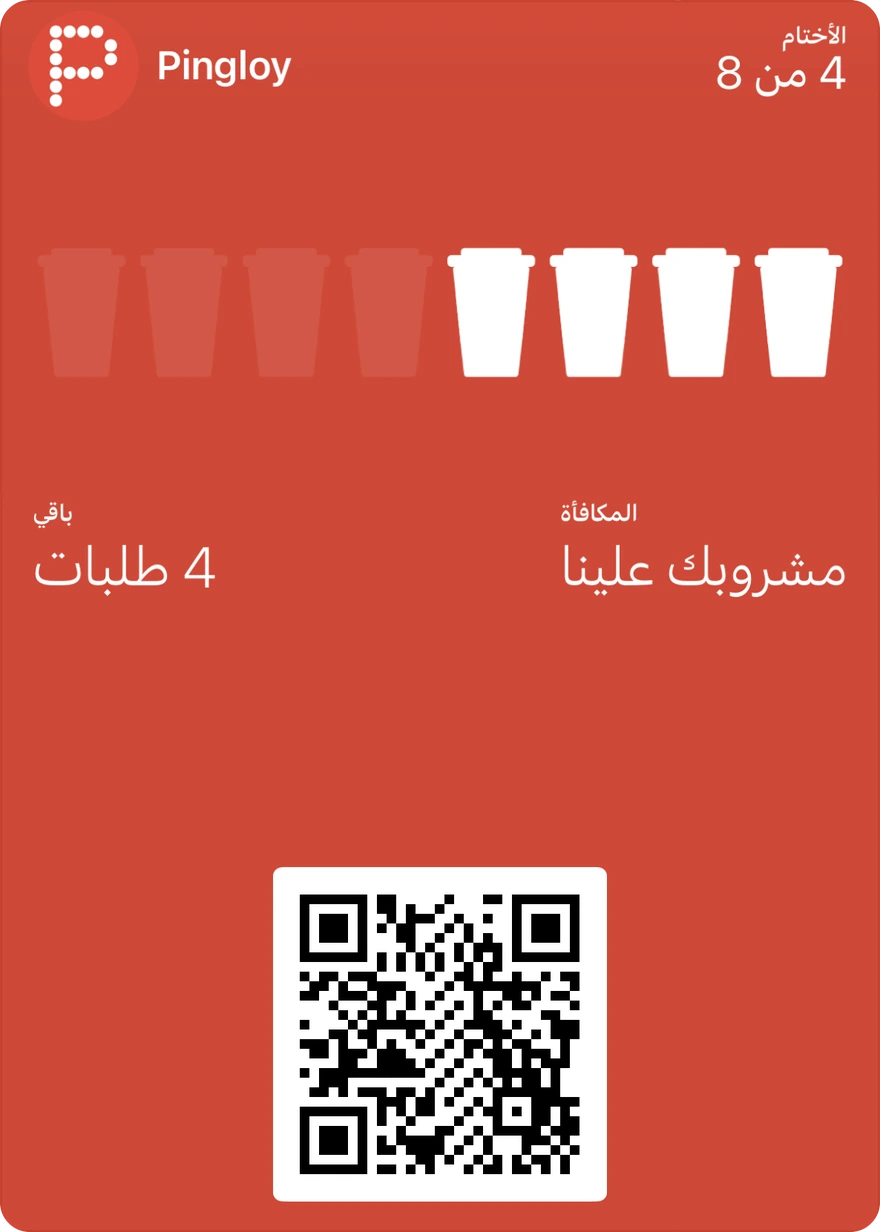
A stamp card on your customer's phone, a stamp with every order.
- No app, no phone number.
- The first two stamps are a gift.
- When it's full, the reward is on you.
Nobody stamps by hand
The stamp lands when you press “Ready”. No paper stamps, no code for the cashier to scan.
The first two stamps are a gift
Every card starts with two, so customers finish it sooner.
Study: cards that started with two stamps were completed 34% of the time, against 19%.
Given at the till
Customers show their card before paying, and you tap “Give reward” on their order.
A notification whenever they're near
On iPhone, the card in their Wallet comes up on the lock screen near your venue, saying how far their reward is.
Screens from Pingloy
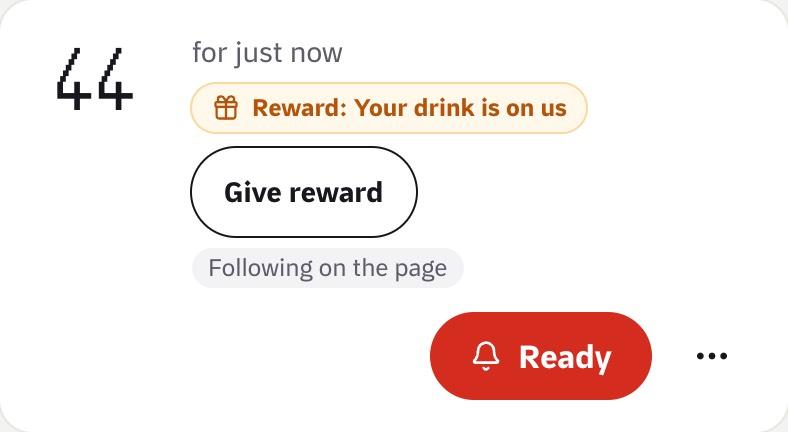
It shows on their order on your board
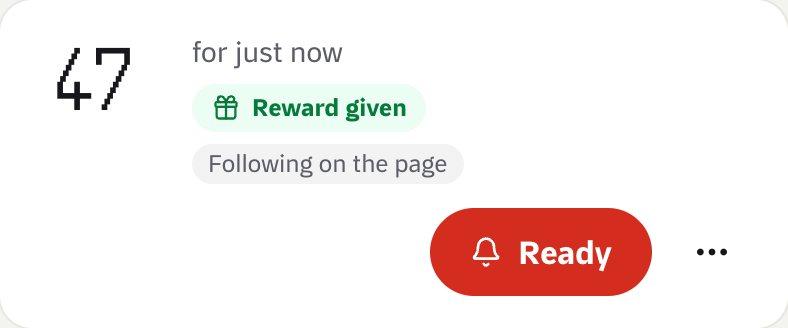
And you give it with one tap
How it works
Turn it on
Pick the reward and how many orders it takes, or ask Pingloy AI.
Customers order as usual
They scan the code, and their card shows on their order.
A full card, a reward on you
They show it before paying, and you give it with one tap.
Common questions
Do customers sign up or give their number?
No. The card lives on their phone and shows with every order from you.
Can someone stamp without ordering?
No. Stamps come from orders you marked ready, 3 a day at most, and a cancelled order takes its stamp back.
Can I try it before I subscribe?
Yes, free for 14 days.
Can I change the reward and how many orders it takes?
Yes, you choose both, from 3 orders to 14, and the stamp's shape.
Does it go in the phone's wallet?
Yes. Your customer taps “Wallet” on their card and it's added to Apple Wallet in your venue's colour, with your logo, and it's stamped there with every order.
What do customers see near my venue?
With the card in Apple Wallet, it comes up on their lock screen saying how far their reward is, or a line you write. All it needs is your venue's Google Maps link.
What if the trial ends and I don't subscribe?
The card stops, and your customers' stamps are kept and come back when you subscribe.
Try it today
Turn it on today, and your next customer's order stamps their card.
More than one branch? Book a demo